

Are you looking for the best laptop locks? For many of us, our laptops are crucial to our lives, and keeping them safe is important. We have sensitive documents, bank information, and personal photos that we want to protect from thieves.
If you want to protect your laptop, you should pick from the six best laptop locks listed below:
- Kensington Slim Lockhead Laptop Lock
- Kensington Laptop Locking Station with Keyed Lock Cable
- Sendt Laptop Combination Lock
- Kensington Universal 3-in-1 Keyed Laptop Lock
- AboveTEK Laptop Lock
- RUBAN Notebook Lock and Security Cable
These locks will provide high-quality security that you can count on for your valuable laptop. However, you must learn the features of these locks and confirm they are the right choice for you. Keep reading further to learn about the best laptop locks in 2024.
What to Look For In a Laptop Locking Cable
When shopping for laptop locks, you have likely noticed the sheer amount of options available on the market. It can be difficult to pick an option that you put your trust in to keep your laptop safe from potential thieves.
If you want the best laptop lock for your needs, you should focus on the following characteristics:
- Cable Strength: A high-quality laptop lock will have a cable constructed of sturdy steel resistant to cutting and tension.
- Locking Mechanism: Laptop locks have various mechanisms, such as keyed or combination locks. Choose which one best fits your individual preferences.
- Installation Process: Depending on your laptop model, you will have differing installation options that you will need to consider when buying a lock.
- Weight: If you like to work in various locations, it’s best to choose a laptop lock that’s lightweight and not too bulky.
- Cost: While cost should be a factor, it’s important not to pick a low-quality option. The cost of losing your laptop to theft will far outweigh purchasing a better-quality lock.
Top 7 Best Laptop Locks
1. Kensington Slim Lockhead Laptop Lock
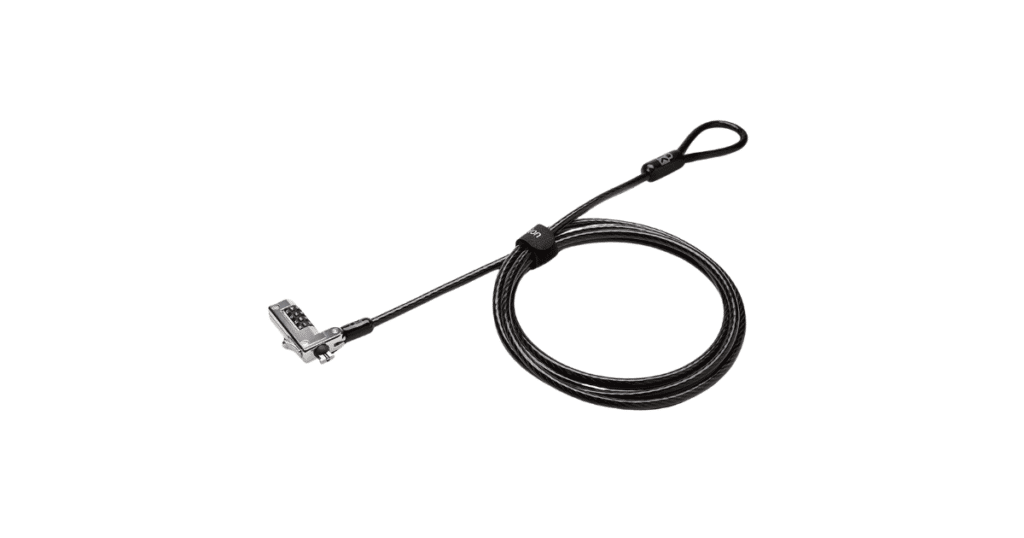
For many people, the main downside to a laptop lock is the bulky design that affects a slim laptop’s functionality. Fortunately, with the Kensington Slim Lockhead Laptop Lock, you can enjoy improved security without the hassle of a standard lock.
With this laptop lock, you can attach it to your laptop and allow it to lay flat while using the lock. The innovative cable head pivots while you move it, allowing a strong connection with your laptop every time.
To secure your connection to your laptop, you can set a unique combination with the high-quality attached lock. This lock features 10,000 combination choices that make it difficult for thieves to steal.
Additionally, the carbon steel cable offers superior toughness that deters thieves and keeps your laptop out of the hands of criminals. As an industry leader, Kensington has put this lock through countless tests to ensure it holds up against extreme tension, weather, and corrosion.
Click Here to Check Amazon For Price
Pros
- Slim design with pivoting cable head
- Resettable combination lock with 10,000 options
- Carbon steel cable with cut-resistant design
- Top-rated on Amazon
- Great value for the price
Cons
- Requires specialized lock for Dell laptops
- It may not hold up against cable cutters
2. Kensington Laptop Locking Station with Keyed Lock Cable
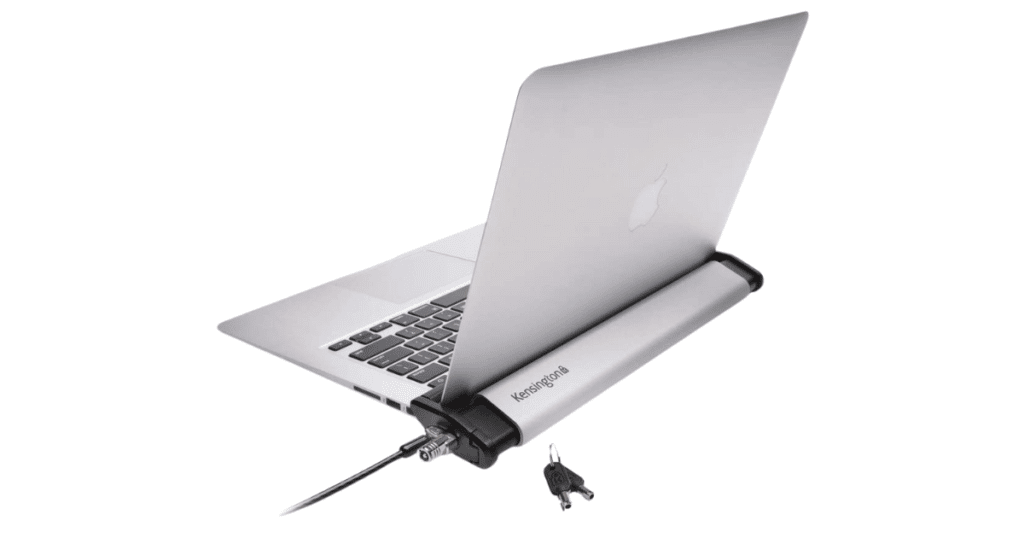
Do you not have a lock slot in your laptop model? You don’t have to worry about a lock slot with the Kensington Laptop Locking Station. This sleek locking station secures your laptop and can be secured with a cable to a desk.
When you receive this product in the mail, you can adjust the arms to match the dimensions of your laptop. The locking station has a maximum width of 15″ that you can use for large laptop devices.
With a locking station attached to your laptop, you can pick it up without worrying about your laptop lock. The provided cable also has superior durability to ensure that nobody can snatch your laptop quickly.
Important: As a warning, you should never close your laptop when the locking station is on your device. There are customer reports of the locking station damaging their screen if they forcefully close the laptop.
Click Here to Check Amazon For Price
Pros
- Convenient for laptop models without a lock slot
- Sleek design that provides a professional appearance
- Durable 6′ cable that offers high-quality security
- Adjustable security arms for custom sizing
- Keyed laptop lock
Cons
- Can’t close the laptop with the lock on it
- Only fits laptops or MacBooks between 11″-15″
3. Sendt Laptop Combination Lock

If you want a simple installation process for your laptop lock, consider the Sendt Laptop Combination Lock. This zinc alloy lock is durable and holds up well against high-tension conditions.
You can use this combination lock with any device with a standard Kensington security slot. Whether you want to secure a laptop or projector, you can count on this combination lock to help.
When attached to your laptop, you can set your lock to a unique code used to unlock the device. With the lock engaged, its design helps prevent accidentally resetting the combination and maintains your security.
Some past users reported that this device did not work with their Dell laptops, as Dell has their “Noble Wedge” security slot design. If you want the right option for your Dell laptop, purchase a specialized option with the correct lock slot.
Click Here to Check Amazon For Price
Pros
- Superior build quality
- Easy installation process
- Works with all devices with Kensington slot
- High-quality combination lock
- Budget-friendly choice
Cons
- No desk mounting hardware
- Doesn’t fit Dell laptop security slots
4. Kensington Universal 3-in-1 Laptop Lock
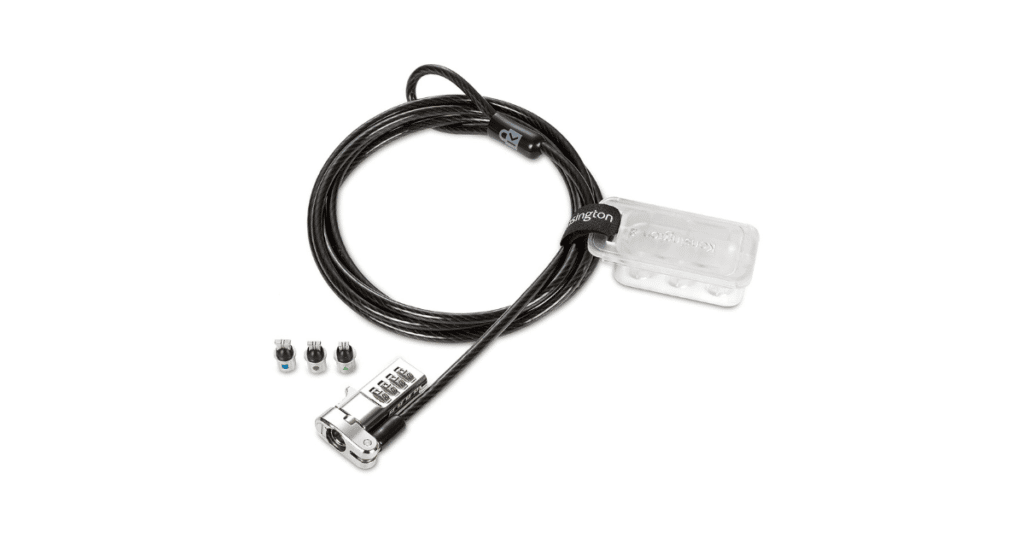
Are you looking for the best laptop lock for any laptop model? The Kensington Universal 3-in-1 Keyed Laptop Lock is a flexible option for any security slot. This laptop lock has interchangeable heads for standard, nano, and wedge-shaped security slots.
You can purchase this option as your trusted laptop lock if you own multiple laptops. Kensington has tested this laptop lock to ensure it provides users with superior mechanical resilience and durability.
The attached carbon steel cable provides reliable security for your laptop devices. If a potential thief attempts to pull on your laptop, the cable will offer exceptional performance against high tension.
Along with the security cable, the device comes with a combination and keyed lock options depending on your preferences. You can select an option that provides the most convenience for your needs.
Click Here to Check Amazon For Price
Pros
- Useful for all security slot types
- Tethered storage box
- Premium-grade steel cable
- Combination and keyed lock options
- Verified and tested for reliable security
Cons
- More expensive than other options
5. AboveTEK Laptop Lock

AboveTEK has developed a unique laptop lock that works with any device you want to secure. From tablets to smartphones, this laptop lock can secure your devices with the included anchors.
If you want to secure a device, you will stick the included adhesive anchors to the back of the device. The industrial-grade adhesive will dry and provide a secure connection to your valuable devices.
Along with the included anchors, you can use the device like a standard laptop lock if you have a Kensington security slot. The versatility of this lock makes it a good option if you want to secure various devices.
AboveTEK has designed the anchor plates to be sleek enough not to affect the functionality of your devices. You can secure an anchor on the back of your cellphone and not feel any added bulk to the product.
Click Here to Check Amazon For Price
Pros
- Secure any device
- Cut-resistant security cable
- High-quality keyed lock
- Industrial adhesive
- Cost-effective option
Cons
- Anchor plates may pull off under extreme tension
6. RUBAN Notebook Lock and Security Cable
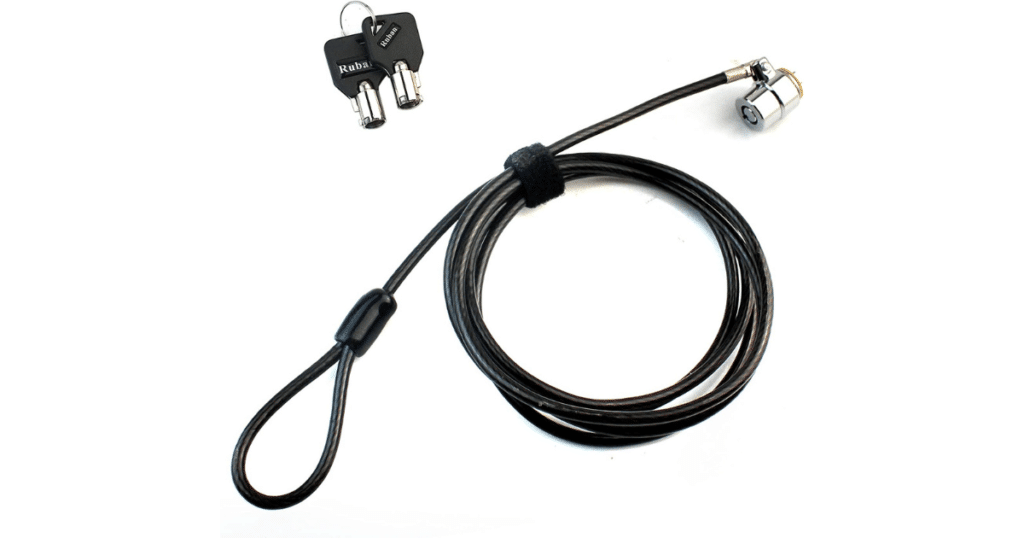
Easy to use and reliable. Those words describe this laptop lock option by RUBAN and its design. While the design is nothing special, it’s a budget-friendly option that is reliable in most situations.
The laptop lock fits any standard Kensington security slot and provides a solid connection that you can secure. Typically, this laptop lock won’t secure older laptop models and most Dell laptops.
Additionally, this lock has a cable head that pivots to connect to your device with ease. This laptop lock comes with advanced features that you usually see for a product that is triple the price.
This laptop lock comes with two keys for the keyed lock on the side of the device. With numerous positive reviews for this lock, you can rest assured knowing your laptop is secure with this device.
Click Here to Check Amazon For Price
Pros
- Security cable made of durable steel
- It comes with an 18-month warranty
- High-quality budget option
- It fits securely on most laptops
- Keyed lock with two keys
Cons
- Not compatible with newer Dell laptops or MacBooks
- The cable may not provide superior security
How Well Do Laptop Locks Work?
While laptop locks can be an excellent security measure, it’s important to set realistic expectations. No matter the quality of a laptop lock, it’s not designed to withstand heavy-duty hand tools.
If an experienced criminal has cable cutters, no laptop lock cable will remain intact. A laptop lock is useful to prevent a thief from quickly snatching your laptop off a desk and running away with it.
In most cases, it’s better to keep your laptop in a security safe at home when you are not using it. A security safe is a much better permanent option to secure your laptops and other electronic devices.
If you want to use a laptop lock, you should use it in public working at a coffee shop or the office. The added security will deter potential criminals, and they will likely choose another target for their crime.
How to Locate Your Laptop’s Lock Slot
When shopping for the best laptop lock, you must locate your lock slot to make the correct choice. There are three main lock slot types on the market that your laptop will have included in the design.
These lock slot types are:
- Standard
- Nano
- Wedge-Type
In most cases, the lock slot will be on the right side of your laptop and typically has a lock symbol next to it. You will stick your lock and secure it to the chassis in this slot.
If you own a newer Dell laptop manufactured after 2016, you will have a wedge-type lock slot. You can typically find the lock slot type of your laptop model by searching “laptop model + lock slot type.”
Frequently Asked Questions
Not all laptop locks are created equal. There are several types of laptop lock slots and designs on the market today. Choosing a laptop lock with the proper lock slot and high-quality construction is best. A high-quality laptop lock will protect your device and ensure that nobody can steal your valuables.
If you own a MacBook or older laptop, your device may not have a lock slot included in the design. The only option for a laptop lock without a lock slot is a locking station with adjustable arms. You can secure the locking station to the laptop and have a security cable attached for superior protection.
Hiding your laptop from burglars is a good way to protect your valuables and make it harder for criminals to steal quickly. The best option for hiding a laptop is placing it in a quality security box or safe. A criminal will have no way of accessing your valuables and won’t spend too much time trying to find your laptop.
Conclusion
Laptop locks are a good cost-effective option to secure your valuable laptop. Among the options, the best laptop locks on this list have high-quality construction, security features, and pricing that you will love.
However, you must choose a laptop lock compatible with your specific device. With this in mind, you can now decide on the best laptop lock for your needs.