
Are you curious why your ADT doorbell is blinking red? If this is your first time seeing this red light, you may be worried about what it means. Fortunately, you don’t need to worry, as this is a common light for this device.
The most common reasons an ADT doorbell blinks red are internet connectivity problems or a disconnected A/C connection. Red lights notify you that you need to make some adjustments to your ADT doorbell for better performance.
Before you contact ADT customer support and deal with the long delays, we recommend attempting to resolve the issue. Keep reading further to learn how to fix an ADT doorbell that is blinking red and restore its performance.
Why Is My ADT Doorbell Blinking Red?
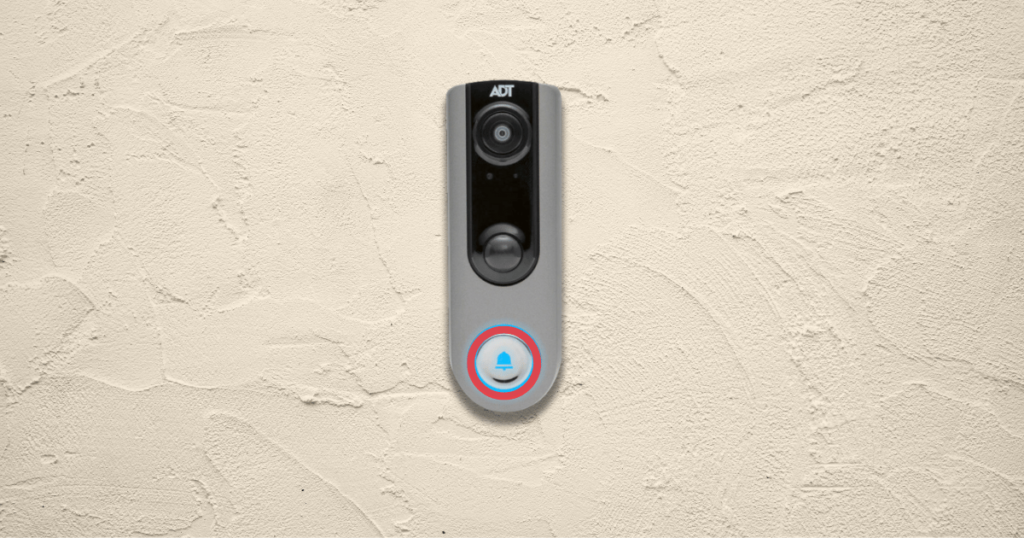
The ADT Doorbell is a part of the integrated system that ADT offers for customers. The ADT-branded doorbell typically included in the security kits is model number DBC835-V2. These doorbells have an internal battery that needs to be charged with a USB charger.
Lost A/C Connection
The ADT doorbell has a 730mA rechargeable battery built into its housing. Additionally, it is hardwired into the property’s A/C power supply to provide uninterrupted security for homeowners.
When the ADT blinks red in 2-second intervals, it signals that the device has lost connection to the A/C power. Once the battery backup is activated, you will receive a notification of the battery back connection status.
Unstable Internet Connection
The ADT security system requires a stable 2.4GHz internet connection to sync the security devices. When the network is disconnected, your ADT doorbell will blink until you restore the connection.
To connect to your device and perform its basic functions, you need a minimum of 2.5Mbps upload speed. If you are unsure what your current internet speed is, you can utilize an internet speed test here.
Hardware Malfunction
While hardware malfunctions aren’t common, they can still happen to your ADT doorbell. Whether it’s a battery backup failure or a power supply problem, the device will blink red to notify you of potential issues.
Once you determine that you have a proper internet connection and power supply, you should consult with an ADT technician. A hardware malfunction can be difficult to diagnose if you don’t have knowledge of ADT systems.
3 Ways to Fix an ADT Doorbell Blinking Red
Improve Internet Connectivity
The easiest solution to an ADT doorbell blinking red is to improve the network connection in your property. If your internet is generally fast, you can solve the problem by restarting your network router.
However, if you have a slower internet connection shared by multiple devices, you can try to improve it. A Wi-Fi range extender can be a cost-effective way to increase the speeds to achieve a stable connection.
Replace the Battery
When your backup battery can’t hold a sufficient charge, it may be best to replace the battery in your ADT doorbell. The batteries act as a critical backup system that can help to maintain security without an A/C power supply.
Fortunately, the battery can be replaced quickly by removing the back of the ADT doorbell and swapping the battery. There are numerous replacement batteries, but you should ensure they are 3.7v.
Click Here to Check the Price of the Replacement Battery
Hard Reset the ADT Doorbell
Once you have tried all other fixes, your last solution will be to perform a hard reset on the ADT doorbell. The hard reset will restore the device to its factory settings, and you will need to reconnect to the ADT app.
After you have reset the ADT doorbell, you can check if it resolved the problem with your device’s connection. Ensure that you reconnect the ADT doorbell according to the user manual and that it shows a solid blue light.
How to Reset an ADT Doorbell
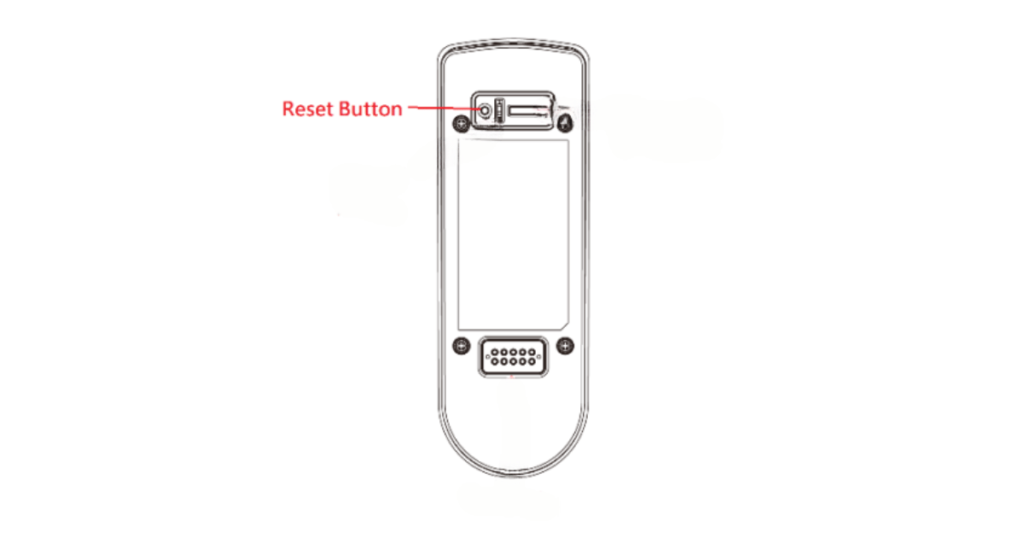
To reset your ADT doorbell, you need to press a small button on the device. The reset button is on the back of the doorbell next to the USB charger connector. You can identify the reset button by looking for a small dot that can be pushed down.
To factory reset an ADT doorbell, you typically follow these steps:
- Press and Hold the Reset Button: Use the tool to press and hold the reset button for about 10 seconds.
- Release the Reset Button: Once you’ve held the reset button for 10 seconds, you can release the button and look for the red light that flashes three times.
- Reconfigure: After the reset, you must reconfigure the ADT doorbell. Reconfiguration usually involves reconnecting it to your network and setting up preferences on the app.
- Check the Manual: If you encounter any difficulties or the process differs from what’s outlined here, consult the user manual for your ADT doorbell model for instructions.
Similar Article: What To Do If You Bought a Home With ADT
Frequently Asked Questions
To check the battery status of an ADT doorbell, open the ADT mobile app and navigate to the device settings. ADT will generally notify you via the mobile MyADT app to give you time to charge the camera. The app will display the current battery status, which helps ensure your doorbell remains operational.
The lifespan of ADT doorbell batteries varies depending on usage and environmental factors. The devices of current ADT doorbell camera models are hardwired. Generally, they last six months to two years on a single charge. Regularly monitoring battery levels via the mobile app ensures functionality and timely replacement when needed.
ADT typically provides battery replacement services for system components, including video doorbells. Customers can request battery replacement assistance by contacting ADT support or their service provider. However, you must check your system’s warranty information to confirm the battery replacement policy.
Conclusion
When an ADT doorbell blinks red, the most likely cause is an unstable internet connection or disconnected power supply. Once you have restored the internet or A/C power, the flashing red light should stop, and the video doorbell will resume normal operation.
If you still encounter issues with your ADT video doorbell, contact ADT support for additional assistance.