

The Brinks electronic deadbolt door lock is a high-quality security option with a convenient keypad feature. However, you may be in a situation where you don’t have the keys and forget the programmed code.
If you want to factory reset your Brinks keypad door lock, you must follow these steps:
- Remove the battery cover on the back of the device
- Press the reset button with a paperclip or small screwdriver
- Hold it down until you hear three loud beeping noises
Once you reset your door lock, you will need to add new programmed codes to improve home security. Keep reading further to learn how to reset your specific door lock model and access the property.
The Code Types Of a Brinks Keypad Door Lock
Before teaching you how to reset your door lock, you must learn about the two types of codes for your Brinks device. The codes you will use to reset your device are labeled the programming and user codes.
A programming code is a specific combination set by the manufacturer that allows you to reset the code for your Brinks keypad. The user code is the unique combination you input into the device you will use to unlock the door.
Programming and user codes are standard across all keypad door lock devices, so it’s important to know. Once you learn how to reset your Brinks device, you will also have the fundamental knowledge needed for other devices.
How to Restore Factory Settings of a Brink Keypad Door Lock
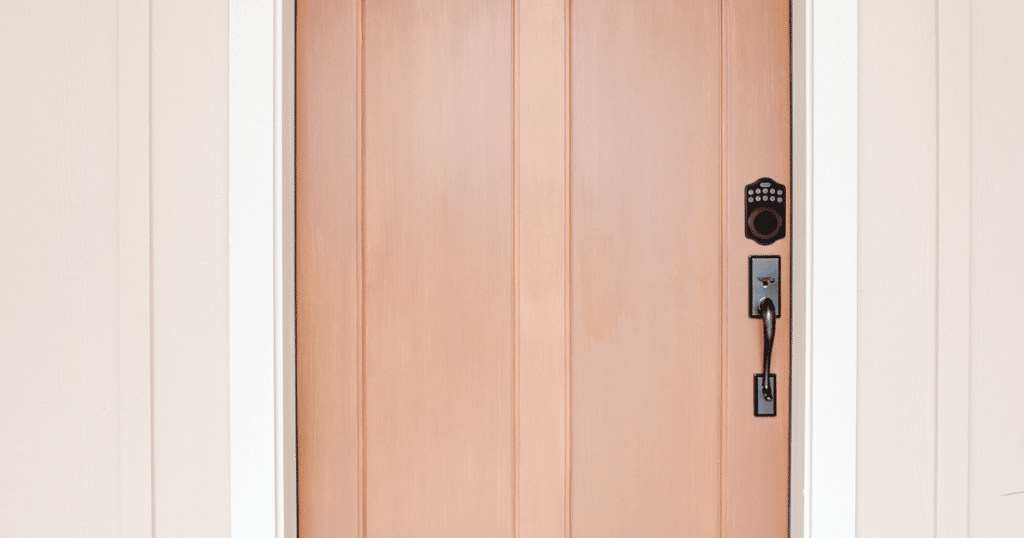
Before your can input a new programmed code into your Brink keypad door lock, you will need to restore the lock to factory settings. When the keypad door lock arrives, the programming code is typically (0-0-0-0), and the user code is (1-2-3-4).
Users can change the programming and user codes to another combination, helping to create a unique code that boosts security. If you want to restore the lock to factory settings, you should input the code to activate the programming mode.
When you can’t remember the programming code, you will need to factory reset the Brinks keypad door lock. The factory reset will wipe all codes set by the user and restore its default settings.
Fortunately, you can easily factory reset your door lock by taking the following steps:
- Remove the battery cover on the back of the lock body
- Locate a small button that is labeled “R” to reset
- Use a paper clip or pen tip to push the button down continuously
- Wait until you hear an audible beeping noise until you release the button
Once you hear the three long beeping sounds, your device will be factory reset. The programming code will be (0-0-0-0), and the user code will be (1-2-3-4). However, you should confirm that the door lock is reset by inputting the user code and opening the door.
You can open the keypad door lock by pressing (1-2-3-4) + BRINKS button on the device. This will confirm that everything was reset for the device, and you can continue with other steps in the process.
After confirming the reset, you can input the programming code and your new user code. Most Brinks keypad door lock models require you to input the user code twice to change the combination permanently.
How to Change The Programming and User Code of Your Brinks Keypad Lock

Changing the programming code to your Brinks keypad lock is critical before changing the user code. Fortunately, the process is straightforward and can be completed within 30 seconds.
Here’s how to change the programming code:
- Enter (0-0-0-0) and press the BRINKS button
- Press (4) and press the BRINKS button again
- Enter your custom programming code (4-10 numbers long)
- Press the BRINKS button and listen for two beeps
Once you have reset your programming code, you can set up the user code for your device. It’s important you remember these codes so you will not need to repeat this process often.
Follow these steps to change the user code:
- Enter the new programming code and BRINKS button
- Press (1) and press the BRINKS button again
- Enter your unique user code and press the BRINKS button
- Listen for two beeps to confirm the code change
You can add up to six user codes to your Brinks keypad door lock system. These codes can be given to different family members and friends. If you don’t want someone to have access, you can delete a code from the system.
How to Remove User Codes From Brinks Keypad Door Lock
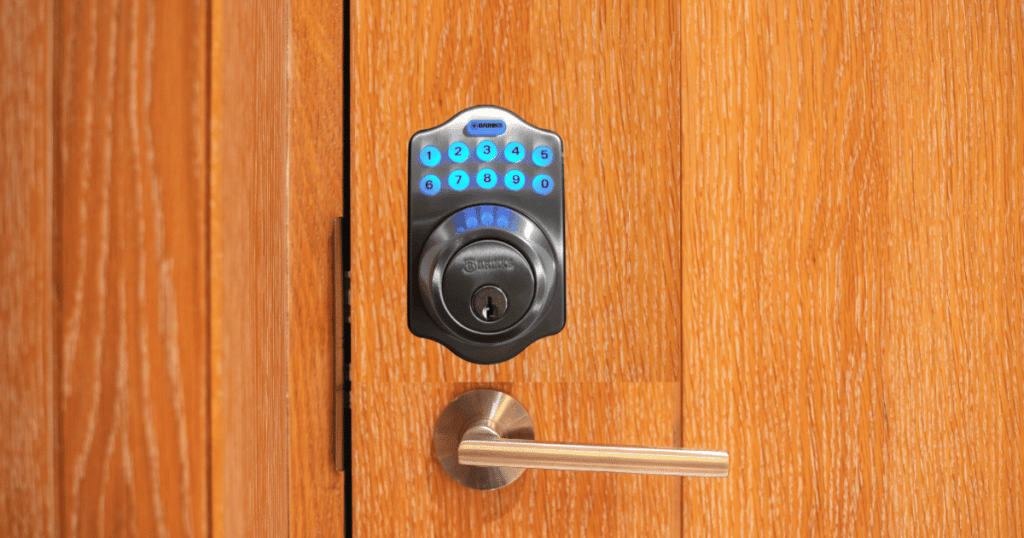
When you want to remove a user code from your device, you can follow simple programming steps. Once you complete the steps, you will not be able to use the code to open the door unless the system can recognize what side door it’s located on.
Follow these steps to remove existing user codes from your lock:
- With the deadbolt unlocked, enter the user code and press the BRINKS button
- Press (2) and press the BRINKS button again
- Enter the user code you want to remove and press the BRINKS button to confirm
- Listen for two beeps to confirm the user code deletion
As a good security measure, you should delete user codes when you want to prevent someone from entering again. If you gave a remodeling company a user code to enter, you should delete it immediately after completing the project.
Additionally, it would be best to document the user codes programmed into your device with the people who have it. Keeping track of who has what user codes will help prevent any unwanted people from attempting to break into your property.
Frequently Asked Questions
If your Brinks door lock keeps beeping, the most common cause is low batteries. The device is warning you that the battery level is low and you need to replace the batteries. If you ignore the beeping noise for too long, the device will eventually shut off, and you will need to open it manually.
You can reset your keypad lock by removing the battery cover on the back of the lock and locating the reset button. The reset button is typically a small button that you push down and hold until you hear a beep. Once you hear a beep, your keypad lock will be restored to its factory settings.
When you want to change the code of your electronic door lock, the most common way is to enter the programming code followed by the new user code. The programming setting is typically used to change the code, and once you enter the new user code, you will have a new combination.
Conclusion
Resetting your Brinks keypad door lock is a simple process that takes a push of a small button. However, once you reset the lock, it’s highly recommended by Brinks to change the programming and user code.
Once these codes are updated, you will have improved security and not be afraid of someone accessing your door lock. With these things in mind, you can reset a Brinks keypad door lock. If you need any more assistance, you can contact Brinks Home for technical support.
My reset button is broke. I can not get it to reset and make the three loud beeps telling me it’s reset. Help