

Wordlocks are an innovative way of setting combinations to secure your belongings. Instead of setting a number combination, you can create a password. However, if you want to improve the lock’s security, you should change a combination on a Wordlock.
If you want to change a combination on a Wordlock, start by opening the lock. After opening the lock, you can change the combination using the reset mechanism. This reset feature could be a button or a procedure depending on the model.
While the Wordlock may seem like a challenging lock to set, it is fairly simple once you learn the correct steps. Keep reading further and follow our step-by-step guide for changing a combination on a Wordlock.
What is a Combination Wordlock?
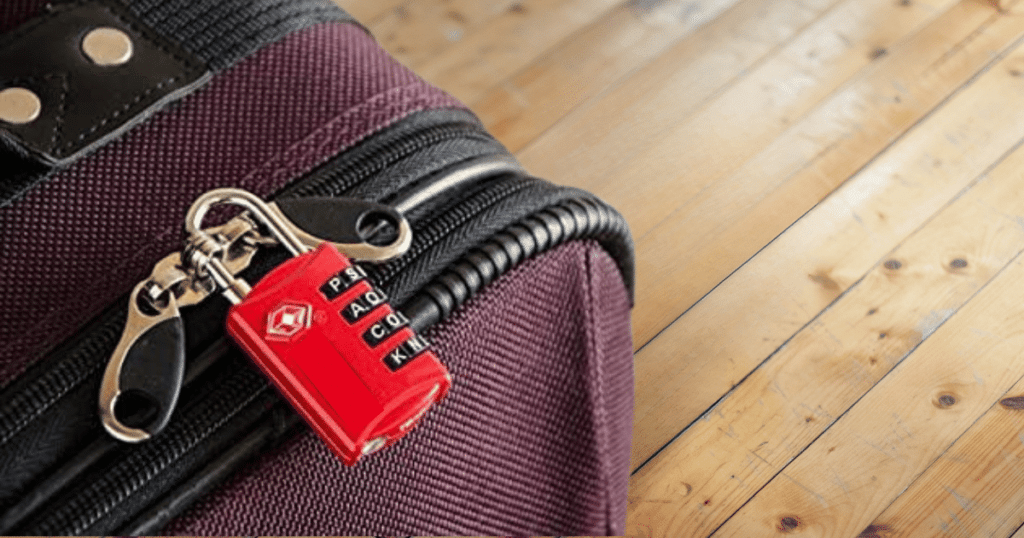
In simple terms, a combination Wordlock replaces the numbers in a lock with letters from the alphabet. The combination for a Wordlock is typically easier to remember and has 9,999 different combination options for users.
When setting the combination, most people will set it to a word they can remember whenever they want to open it. However, this may come at a disadvantage, as many people will attempt to use words that are easy to guess.
Some of the most common 4-letter words used for a Wordlock are:
- BIKE
- SHED
- PLAY
- LOOP
- TREE
How to Change a Wordlock Padlock Combination
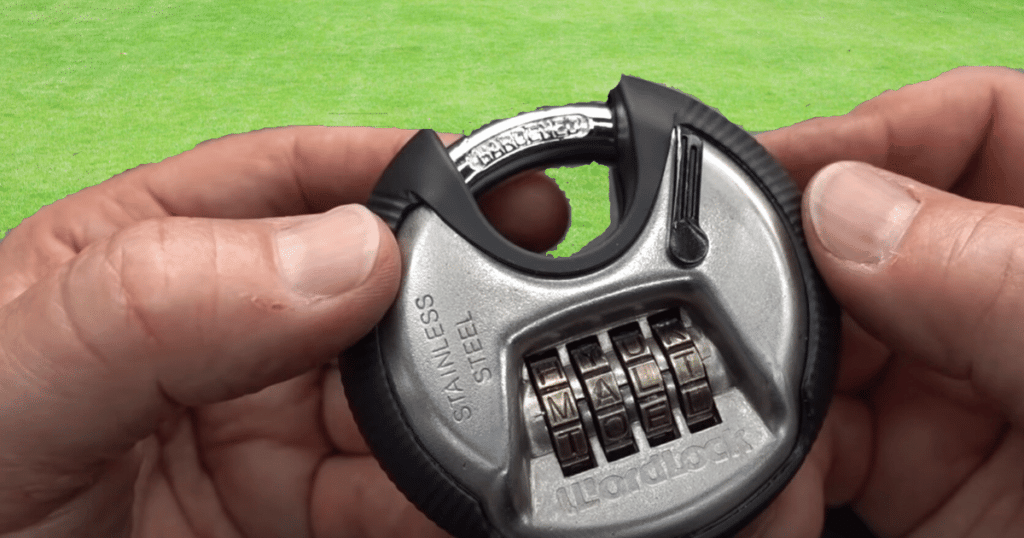
Open the Lock’s Shackle
The first step of resetting any combination padlock is inputting the current password and releasing the shackle. If this is your first time opening the lock, you must align the default passcode given in the instructions.
Default passwords vary depending on the manufacturer. Many of the popular models have a default combination of SHED or WORD. After inputting the correct combination, you must pull up on the shackle to release it from the lock body.
Press and Hold Down on the Shackle
After successfully opening the lock, your next step is starting the reset process. The most popular Wordlock padlock does not have a dedicated reset button, so we will cover that procedure.
If this process fits your Wordlock, you will feel a spring mechanism whenever you push down on the open shackle. Resetting the lock will require you to push and hold down the shackle for the entirety of changing the combination.
Adjust Combination to New Word
With downward pressure on the lock’s shackle, you can turn the dials and create your new combination. If this is for a moderate security situation, you can create a common word that is easy to remember.
However, to reduce your chances of someone guessing the combination, you should make it a random set of letters. While the combination will be harder to remember, it will have a higher level of security.
Release the Shackle to Set the Combination
After setting your new combination, you can release the shackle and confirm the new combination. You can confirm the combination by mixing the alphabet letters and inputting the new combination afterward.
If you did the steps correctly, your new combination will open the shackle and be the new passcode indefinitely. When you don’t perform the steps correctly, you can restart the process by inputting the previous combination.
You May Also Like: How to Open a Master Lock Without a Key
How to Change a Wordlock Bike Lock Combination

Open the Bike Lock
Like the padlock, you can only change the combination to a Wordlock when the lock has been opened. Depending on the bike lock, the mechanism may be a twist or flip switch that will release the lock.
As you input the current combination, you should read the instruction manual to determine how to open it. Once you have opened the Wordlock, you can move on to setting the updated combination.
Align the Lock Into the Reset Position
Unlike the padlock, most bike locks can be set by turning the lock in a clockwise direction until it stops. Once you have resistance to the locking mechanism, you have successfully placed the lock into its “set” position.
Turning the lever until it stops in the set position is crucial for the reset process of any Wordlock. If you do not rotate the bike lock into the set position, you cannot create a new passcode for your lock.
Set the New Combination
Using the bike lock mark, you can turn the dials and set your new combination. You can set your combination to any word you prefer. However, we would advise against making the combination “BIKE.”
If someone is looking to steal your bike, the word will be on their mind when they try to guess the combination. We would choose a random combination of letters or a difficult word to guess when you want to secure your bicycle.
Test the Combination
After setting the combination, you can move forward by testing it to ensure it works properly. When testing the bike lock, you must turn the lock out of the “set” position. With the lock turned upright, you can return it to its original position.
Randomly mix up the letters on the bike lock and then input the new combination to see if it works. If the new combination doesn’t work, restart the process and open it using the previous passcode.
What to Do If You Forgot Your Combination?
As you can see, you will need to know the previous combination if you want to change it to a new passcode. So, what happens if you forget the combination to your Wordlock? While you may seem like you have no options, there is a flaw in bike Wordlocks.
You can quickly review the various password options and use the technique mentioned in the video above. Once you have found your passcode, you can continue by following the steps in this article.
Another Youtube video proves you can access a Wordlock padlock using a similar process to a bike lock. As home security specialists, we don’t recommend these locks due to this weakness, but we will still provide you with the information to open them.
Conclusion
After following the steps outlined in this article, you can change a combination on a Wordlock. The steps are often very similar to changing the combination for a numbered padlock or bike lock.
If you can still not open the Wordlock after attempting the methods in this article, let us know in the comments! We will try our best to help you.