

As the world embraces smart home technology, Schlage Locks are increasingly popular for their advanced features. Despite their benefits, a persistent ‘Schlage Lock Blinking Red’ issue may arise, causing some issues.
Fortunately, there’s no need to despair. There are plenty of solutions that can get your lock back to its full working condition in no time, all of which I’ll be covering simply yet extensively throughout this guide, including:
- Resetting the Schlage Lock
- Battery Replacement
- Addressing an Invalid User Code
- Incorrect Installation
- Managing Technical Faults
These are the key solutions we will cover to tackle this problem. Each solution is broken down into practical, easy-to-follow steps for your convenience to resolve the red blinking light on your Schlage Lock effectively and safely.
Solution 1: Battery Replacement
As per Schlage’s instruction manual, a continuously red flashing light means the batteries on your lock are dead. Therefore, the first solution is to switch them out to new ones. Here’s how you can perform a battery replacement safely and efficiently:
- Locate the Battery Compartment: Your Schlage Lock’s battery compartment is generally positioned on the interior side of the lock. This is to make battery replacement an easier process for you.
- Open the Battery Compartment: Gently remove the battery cover. If the cover seems stuck, avoid using force. Instead, take a minute to refer back to your Schlage Lock user manual for any special instructions on your specific lock model.
- Remove the Old Batteries: Carefully remove the old batteries, avoiding rough handling that may cause unnecessary mess or damage inside the battery compartment.
- Insert High-Quality Batteries: When choosing new batteries, opt for high-quality ones, as low-grade batteries tend to deplete more quickly. Insert the fresh batteries per the polarity indications (+ and -) inside the battery compartment.
- Ensure Proper Installation: Once you’ve placed the new batteries, ensure they fit snugly and make good contact with the terminals. Batteries that are not installed correctly may cause the lock to malfunction.
- Securely Close the Compartment: Finally, replace the battery cover to secure the batteries. Ensure the cover is firm and stable to avoid accidental dislodging of the batteries during lock operation.
When changing the batteries, always adhere to safety measures while handling electronic components. If you are uncertain about the process, don’t hesitate to contact a professional for assistance.
Solution 2: Resetting the Schlage Lock
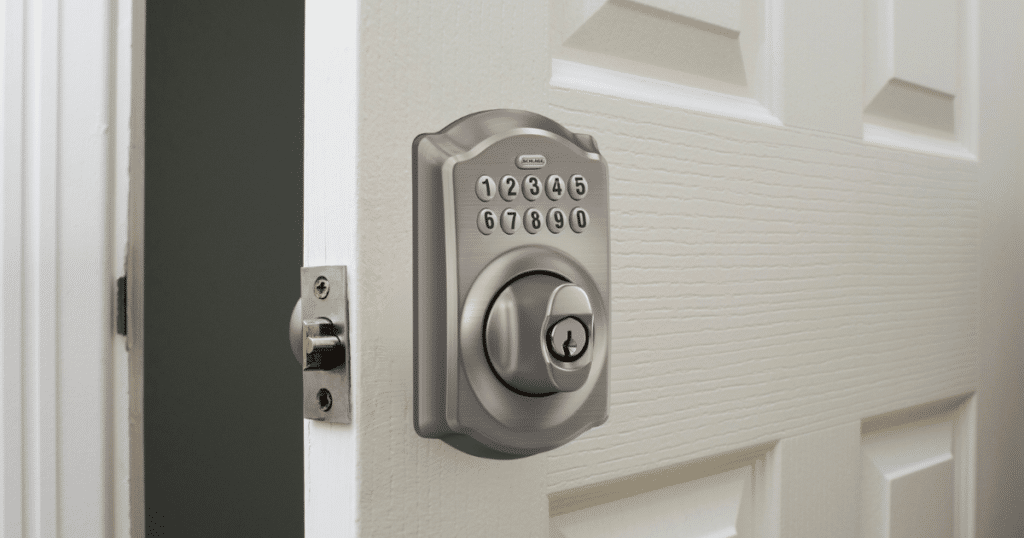
Resetting the Schlage Lock to its factory settings can be a simple yet effective solution if you’re facing the issue of a blinking red light. This method deletes any software errors that might have occurred due to repeated use, improper handling, or power fluctuations.
The factory reset procedure is elementary, requiring no additional tools or hardware. Here are the steps to guide you:
- Identify the Schlage button on your lock. It’s usually located at the center of your lock. Push this button and then release it.
- Immediately after releasing the Schlage button, key in your programming code. If you’ve forgotten your code, you can find it in the user manual or your Schlage Lock account.
- After entering the programming code, press and release the Schlage button again.
- Once the Schlage button has been pressed again, input (0) on the keypad. This number is typically associated with the factory reset function.
- To complete the process, press the Schlage button one final time. You will hear a loud beep, indicating the reset process has been completed successfully.
Performing a factory reset might be all you need to bring your Schlage lock back to its optimal working condition. Always note that a factory reset will erase all your entries and settings, returning the lock to its initial settings.
Therefore, you should redefine your user codes and other preferences after doing this. If you are unsure how to input a new user code, you can utilize the instruction manual for assistance.
Solution 3: Addressing an Invalid User Code
A red blinking light on your Schlage Lock could indicate an invalid user code, which might stem from input errors or programming mistakes. Here’s a concise guide to resolving this issue:
- Press the Schlage button and input your current programming code. Ensure accuracy to avoid triggering the issue further.
- Press (2) upon successful entry and input your preferred new user code twice. Listen for a beep after each entry as validation.
- Test your new user code to verify its functionality and ensure the issue has been resolved.
By following these straightforward steps, you can swiftly identify and address invalid user codes. After addressing an invalid code, you can work towards the efficient and safe operation of your Schlage Lock.
Solution 4: Incorrect Installation

Incorrectly installed Schlage Locks might cause the red light to flash. If you’ve attempted the preceding solutions with no success, installing the lock could be the source of the problem.
Improperly handled lock installations can result in further complications, rendering the lock ineffective or potentially damaging your door. Here we exercise utmost caution and follow these steps:
- Inspect the Lock Installation: Take a moment to examine the lock’s installation. Look for any apparent misalignments or flaws that could be causing the issue. Are all screws tightened? Is the lock fitting correctly in the door’s pre-existing hole?
- Refer to Installation Guidelines: Should you notice any irregularities or are unsure, turn to your Schlage Lock user manual. This guidebook should offer instructions and diagrams for your lock model’s installation.
- Call for Professional Help: If the manual instructions appear daunting or you cannot rectify the situation independently, contact a professional installer. They can fix any potential mistakes in your installation.
Tip: Don’t despair if you can’t locate your physical user manual. Most Schlage Lock installation guidelines are readily available online.
Remember, your Schlage Lock is a vital component of your home security. While we encourage self-reliance and problem-solving, there are instances when professional help is not just recommended but necessary.
The red blinking light in your Schlage Lock can be frustrating to face. However, with careful examination and the right approach, it’s a problem you can tackle efficiently and safely.
Solution 5: Managing Technical Faults
Despite attempts to troubleshoot a Schlage Lock blinking red, some cases may entail a more complex technical fault. If this is the situation, it’s time to consult with the professionals.
First, try contacting Schlage customer service for guidance, as they may be able to provide remote assistance. If the problem persists, consider bringing in a professional locksmith. A locksmith can diagnose and rectify complex issues with locking systems.
Remember, while troubleshooting can often resolve common issues, there’s no harm in seeking professional advice when necessary. The key is ensuring you can operate your Schlage Lock safely and effectively.
Tricks and Tips: Navigating Your Schlage Lock More Effectively
While we’ve covered the main solutions to fix a Schlage Lock blinking red light, here are a few tips and tricks that might come in handy when dealing with your Schlage Lock system:
Tip 1: Regularly Check Your Batteries
When was the last time you checked, or better yet, replaced the batteries in your lock? To avoid being caught off guard by a blinking red light or a lock that won’t open, make it a habit to replace your batteries periodically, preferably once a year.
Tip 2: Keep Your Programming Code Handy
Everyone forgets their codes at some point. Save yourself from future stress by making sure to keep your Schlage programming code somewhere safe and accessible. However, don’t compromise your security by placing it too openly.
Tip 3: Regular Software Updates
Schlage Locks, being advanced IoT devices, consistently release software updates to improve functionality and security. Regularly check for these updates and install them to ensure your lock remains in its best state.
Tip 4: Regular Maintenance and Cleaning
Like any other device, your Schlage Lock benefits from routine maintenance and careful cleaning. Maintenance can prevent many hidden complications and uncover issues before the red light blinks.
Finally, remember that encountering a problem with your Schlage Lock doesn’t mean the end of the world. The tricks and tips listed above should empower you to navigate and solve minor issues or prevent them from occurring in the first place.
If all else fails, don’t hesitate to seek professional help to solve your Schlage Lock blinking red issue – safety should always be the priority.
Conclusion
You can fix a Schlage Lock blinking red using our practical solutions via an analytical and safe approach. Prioritize safety and correct procedures as you work through the guide methodically, never rushing or skipping steps.
If a solution doesn’t work, don’t despair—locks vary, and another method may do the trick. And for complex situations, professional help is available. Safely navigating the solutions maximizes your chances of successfully resolving the blinking red light issue.
By following my guide, you’re taking a secure stride towards conquering lock-related predicaments swiftly and easily.