

Motion-sensor lighting is an excellent home security product that saves energy and alerts you of movement. However, they can be frustrating if you need consistent light on your property. Whether searching for a potential thief or looking for dropped car keys, you should know how to stop a motion sensor light from turning off.
If you want to prevent motion-sensor lighting from turning off, try these four methods:
- Adjust the Motion Sensor’s Sensitivity
- Bypass Motion Sensor’s Settings
- Reset the Motion-Sensor Light
- Install a Newer Version
Try these four techniques to keep your motion-sensor lights on indefinitely. Once you want to switch the device back, you can quickly adjust the settings to return to its default state. Keep reading further to learn why motion-sensor lights turn off and how you can stop them from turning off.
How Do Motion-Sensor Lights Work?

The standard motion-sensor light uses a passive system to detect infrared energy in its field of view. With a small PIR sensor below the light, the detector will look for temperature changes that register in the correct range. A typical motion-sensor light will have settings that detect the temperature of a human being, which is typically 93°F.
However, most lights react only to the rapid temperature changes in the motion sensor’s vision. When the sensor registers motion, it will trigger the lights and illuminate the area. If a person stands still, the motion sensor light will turn off after a little while. Most manufacturers design motion-sensor lights to be as efficient as possible.
Why Do Motion-Sensor Lights Turn Off?

When motion-sensor lights turn off, the most common reason is it’s not detecting motion anymore. If the light turns on and off when you walk into its area, this is a good sign it’s working correctly. A motion sensor may be broken if it remains off when you walk in the area, and it’s wired properly.
In some cases, a motion-sensor light can turn off very quickly and impact the effectiveness. If the light turns off fast, this could be an improper installation or adjustment. A motion sensor must have a clear line of vision and have the settings calibrated for the environment. When there is a mistake during the setup, it can affect the motion sensor.
4 Methods: How to Stop a Motion Sensor Light From Turning Off
If your motion-sensor lighting device works properly, but you want to keep the light on–there are a few methods to try. These troubleshooting methods will keep the light on permanently or for a longer duration.
1. Adjust the Motion Sensor’s Sensitivity
The standard motion-sensor light has a high sensitivity setting that triggers when a person or vehicle passes its sensor. Additionally, there is a threshold of motion that the sensor must recognize before it turns off. You will need to change the device settings if you want to keep the light on.
Fortunately, most devices allow you to adjust the motion sensor to your preferred settings. There is usually a spinning dial or slider to adjust the sensitivity. The light will remain on by setting the motion sensor to the highest sensitivity. The infrared detector will pick up on the smallest of movements around the area.
2. Bypass Motion Sensor’s Settings
While this method risks damaging your motion-sensor light, it is a permanent option to keep the light illuminated. Since the motion-sensor acts as a switch, you can remove the motion detection and tie the fixture wires together. When you bypass the motion sensors, you will change it into a standard outdoor light fixture.
You can connect the device to a light switch if you want to take this method further. Attaching a light switch allows you to turn the light off and on. The light will remain on when you perform a standard bypass unless you turn off the power source. Try this option only if you know about working on electrical systems safely.
3. Reset the Motion-Sensor Light
There is typically an override command on your motion-sensor lighting system that keeps the light on for you. Most modern devices have this option to prevent a light that constantly turns off when you need it. If you want to reset your motion-sensor light, there is often a reset or off button.
For a complete reset of your device, you should turn the motion sensor off for at least 15 seconds. Once you’ve given the device enough time, you can turn it back on to check if the problem is resolved. If the motion sensors still turn off too quickly, this may be a sign you need a newer model.
4. Install a Newer Version
When you have an older model or basic device, you may not have the option to keep the light on for longer than a minute. If you want an option to keep your motion-sensor light on for longer durations, you should invest in a new model. A modern motion-sensor light will have many features that improve convenience.
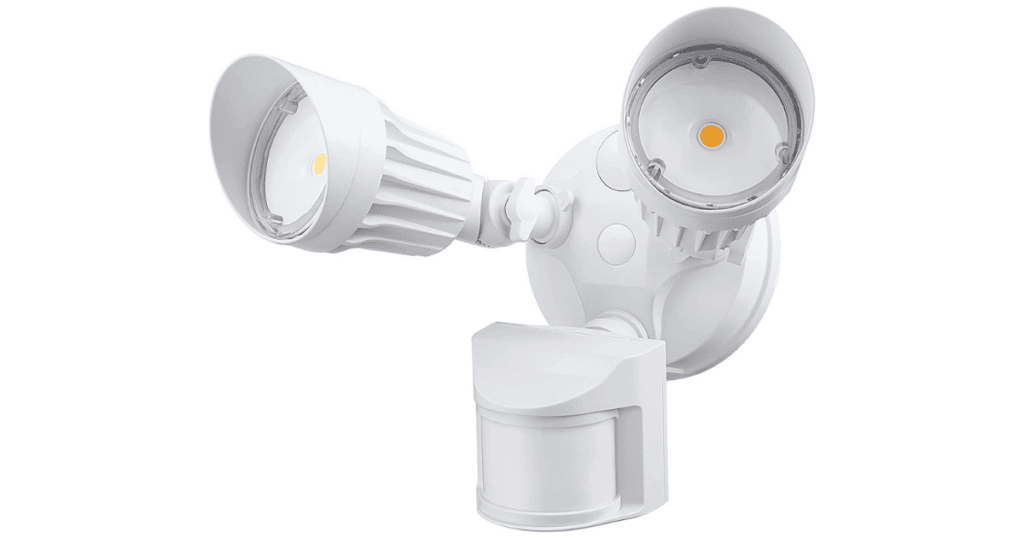
If you are looking for a motion-sensor light that stays on, we recommend the LeonLite LED Security Light.
Click Here to Find the Price On Amazon
With three convenient modes, you can set the light to its ON-TIME setting for constant illumination. Once you want to restore the motion sensor capabilities, you can set it back to AUTO. With a 70ft sensing distance, this motion-sensor light is among the best on the market in 2022.
Frequently Asked Questions
When your sensor light doesn’t stay on, this is likely a sign that the device doesn’t detect motion. If there is no movement in the sensor’s area, it assumes that the light isn’t necessary. You can also adjust the device settings to increase sensitivity for motion-sensor lights that turn off quickly.
Depending on your device model, you can override the motion sensors switch by turning the light quickly OFF and then ON again. A standard override command in a motion detector typically keeps the light on until you switch OFF. You must invest in a newer model light if you can’t override the switch.
If you want to reduce the sensitivity and range of motion sensors, you can put tape over its lens. You can customize the field of view and reduce the number of times the device picks up on far away movement. However, it’s best not to put anything on the device because it can damage it permanently.
Conclusion
When you are tired of your motion-sensor light turning off constantly, you can try these methods to resolve the problem. If you have an older device, you may have difficulty finding a solution to the light turning off. Newer models, such as the LeoLite LED Security Light, have built-in settings that keep the light illuminated.
If you want to stop a motion-sensor light from turning off, we recommend investing in a new high-quality motion detector device!