

When looking at your security system, you may wonder, “why do security cameras have a red light?” You may wonder what the reason is for this red light and if it’s important in the security camera’s operation.
If a security camera has a blinking red light, it indicates to the owner that it is recording video footage. When a subtle red light turns on during the evenings, this is the infrared light used for improving night vision.
Depending on your security cameras, there are many reasons why there is a red light. This article will help dispel myths associated with these lights. Our security experts will give you the information you need about the red lights on security cameras.
What is the Purpose of the Red Light on Security Cameras?

Before the days of viewing your video footage from your mobile phone, your security camera footage was saved into a DVR. Since you didn’t receive real-time feedback on your camera’s operation, you needed other ways to confirm they were recording.
If you wanted to ensure your cameras were recording, you needed a sign from your cameras. Manufacturers placed a small blinking red light that activated whenever the security cameras recorded.
When homeowners like me checked our cameras, we could look for a blinking light for assurance. This small added feature has helped to maintain the security of residential and commercial buildings for decades.
While more security system companies have moved away from using a DVR for storing security footage, there are still some remaining features. Many security camera manufacturers have continued to add red LED lights to their cameras.
Additionally, the red light you may be seeing is the infrared light for night vision. Infrared lights will be a small dim red light near the camera lens that helps improve night vision footage. However, you will only see this light when it turns on at night, and it will not flash.
Are There Different Colored Lights on Security Cameras?
Depending on your security camera, you may encounter lights that are different than red. These lights help troubleshoot various technical issues with your cameras, so they are important to know.
In most cases, the different colored lights on security cameras mean the following:
- Green Light: A green light means a successful local and internet connection to the security cameras.
- Blue Light: If your security camera connects to WiFI, the most common light for this configuration is a flashing blue light.
- White Light: Flashing white lights can signal potential technical issues that need to be determined by troubleshooting.
Since the lights on security cameras are often unique for each device, it isn’t easy to accurately label what the lights mean for all cameras. If you want to learn more about your security camera’s light, it’s best to read your owner’s manual.
Top 3 Reasons Not to Disable Red Lights on Security Cameras
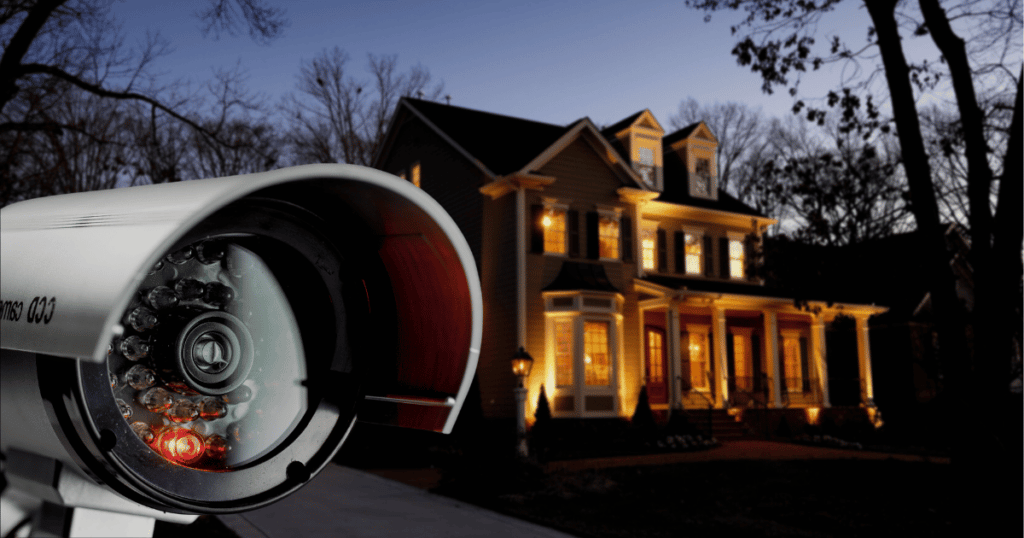
Do you want to disable the red light on your security camera? Before you attempt to remove the light, you should learn the importance of these lights. You may remove a critical feature that maintains the device’s functionality. Below are the top three reasons not to disable the light.
1. Could Help Improve the Night Vision of Cameras
For security cameras with night vision capabilities, there will be a small IR light to help improve the footage. The inferred light helps to increase the range of the security cameras to capture what’s happening on your property.
When you disable this feature, your camera will lose its recording range and have weak performance. If your camera has this infrared light, it’s best to leave it alone for the best video footage.
2. Deters Potential Burglars
According to Reolink, a home without a security system is 300% more likely to be broken into. To deter potential burglars from targeting your home, you must make it obvious you have security cameras.
When criminals scan your home for cameras, they will quickly realize you have cameras with a blinking red light. If you disable this red light, they may not notice that you have security cameras on the premises.
3. Helps During Troubleshooting
If your security camera has multiple lights, it likely signals potential system issues. A security camera manufacturer will provide a detailed overview of the lights in the owner’s manual to help with troubleshooting.
Whether a flashing blue light or a solid red light, these lights can inform you of problems with your system. If you remove or disable these lights, you may have difficulty understanding what happened if you encounter technical issues.
Does Every Security Camera Have a Red Light?
As security camera companies personalize their products, many have removed red lights. For example, Blink and Frontpoint use a blue light to notify the owner that the security system is recording.
However, a blinking red light is the most recognizable color for owners and potential intruders. If you have fake cameras, they will have a red light that mimics the recording light of a real security camera.
Additionally, there are security cameras with no lights whatsoever that signal the system is recording. If you don’t want a recording light, you can choose an option that allows you to disable it.
Frequently Asked Questions
If you want to know if a security camera is watching you, you should first look for a red recording light. The flashing red light will help you confirm that a security camera is video recording your activity. Additionally, if the camera rotates in your direction, an operator is looking to scan your activity.
Most visible infrared lights have a red or violet color used to improve night vision capabilities. You can’t see infrared light in most cases unless you look closely into your camera device. For improved night vision, you should purchase a range extender that produces a bigger infrared light.
CCTV cameras do not have a flash that helps improve visibility in the surrounding area. When CCTV cameras have night vision abilities, they use high-quality infrared lights to improve visibility. So, if you want to know if a CCTV camera is filming you, you should look for a dim red light.
Conclusion
If you’ve always wondered, “why do security cameras have a red light?”, you know the truth. The red light is most likely used to signal the camera is recording or is an infrared light for night vision.
For the best functionality from your security cameras, you shouldn’t disable this red light on your system. With these things in mind, you can now make the correct decision to keep the red light on your security cameras.