

Are you wondering how to install a light bulb security camera? Replacing your existing light bulb with a security camera is a convenient way to improve home security. However, you must learn the installation process to receive the best performance.
To install a light bulb security camera, you must purchase the right camera model and place it in a proper location. After picking the right camera, turn off the power to the light, unplug the light bulb, and plug in the security camera.
While installing a light bulb camera sounds easy enough, there are a few considerations you need to make when you install a light bulb security camera. This article will cover installing and setting up a security camera light bulb.
What is a Light Bulb Security Camera?
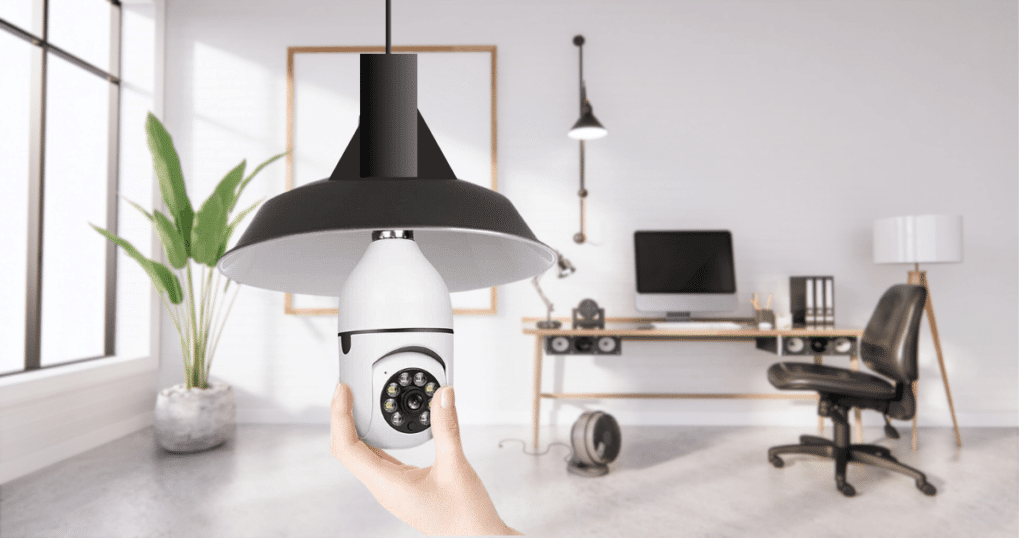
Light bulb security cameras are a relatively new way of concealing a camera around your property. While potential intruders have become familiar with the locations of standard security cameras, they often don’t check the lights.
Since light bulb cameras can be plugged into any standard light bulb socket, you can install them anywhere. Whether you want a security camera on your front porch or in the living room, you can install it without added wiring using a light bulb camera.
The only place where a light bulb security camera won’t work is on a small candelabra base socket. Light bulb security cameras require a standard E26 light bulb base, which is normal in most light fixtures around your home.
Additionally, some camera models have light-producing capabilities if you don’t want to lose a light source around your property. Along with capturing surveillance, you can enhance security with bright light.
3 Most Popular Light Bulb Security Cameras
If you haven’t purchased a light bulb security camera, we have researched and found the best options available. These light bulb security cameras will bring you the most bang for your buck and provide effective surveillance.
LaView 4MP Bulb Security Camera

When it comes to product features and capabilities, the best option is the LaView 4MP Bulb Security Camera. With full color and 355° viewing, you can enjoy reliable security footage for your home.
Where the LaView bulb camera shines is in its smart home integration options. If you own an Amazon Alexa or Google Assistant hub, you can link your camera and allow up to 20 viewers to watch real-time footage.
Additionally, with the included mobile app, you can do two-way talk with your security camera with those nearby. For a budget-friendly price, you can enjoy many of the product features that come with high-end security cameras.
Click Here to Check Price on Amazon
Pros
- Two-Way Talk and Alarm Sirens
- Easy Installation Process
- Useful Mobile Application
- HD Image Quality and Full Color
Cons
- Free App Has Limited Options Compared to Premium
GALAYOU 360 Light Bulb Security Camera
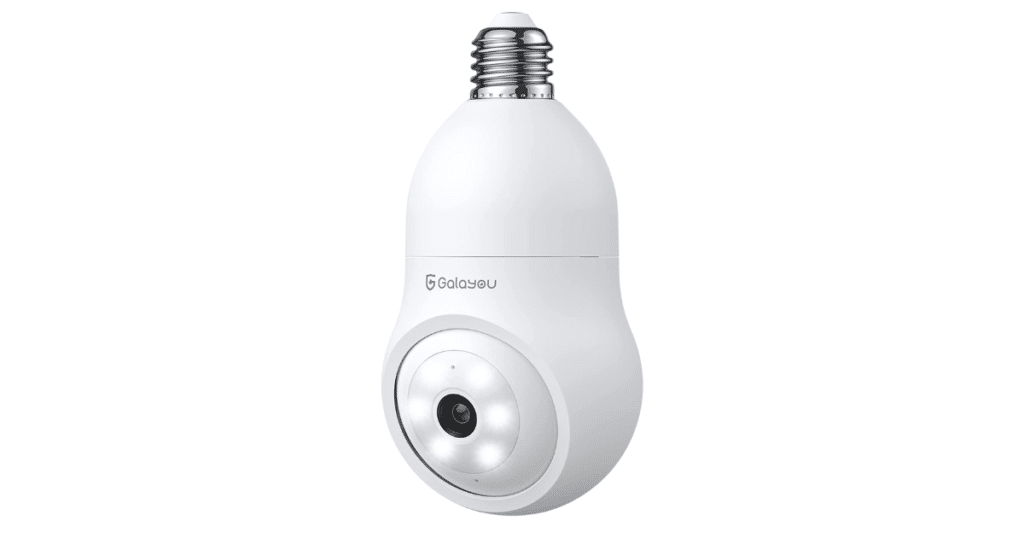
Do you live in an area with little outside light? The GALAYOU light bulb security camera is the solution for you. This light bulb security camera has six bright floodlights and six IR lights for enhanced night vision.
In complete darkness, you can capture clear security footage around your property and save it on the included mobile app. Where this camera excels is its 24/7 recording capabilities, which is rare for a camera at this price point.
You can upload 24/7 video footage to the cloud or use a local storage card of up to 128GB. With consistent security video footage, you will never miss a moment of the action around your property.
Click Here to Check Price On Amazon
Pros
- Motion Tracking and App Notifications
- 24/7 Recording Capabilities
- 2K Image Quality and Full Color
- Simple Installation
Cons
- Not Waterproof
SYMYNELEC Light Bulb Security Camera

When you want water resistance from your light bulb security camera, the best option is the SYMYNELEC security camera. With an IP 65 water-resistant rating, you can use this option on your outdoor light fixtures.
No matter the location, this camera will record clear video footage stored securely in encrypted cloud storage. Additionally, you can install an SD card into the video camera to store footage locally.
Unlike other options, this device has an adapter that allows your device to fit in a smaller base socket. You can install this on any fixture and link the device to Amazon Alexa and Google Assistant.
Click Here to Check Price On Amazon
Pros
- Strong Water Resistance
- 66ft Video Recording Range
- Effective Motion Detection
- Included Socket Extender
Cons
- Mobile App Notifications Sometimes Don’t Work
How to Install a Security Camera Light Bulb
After ordering your security camera light bulb, all that’s left is the initial setup and installation. While you may think there is a catch to installing this device, it is as simple as screwing in a standard light bulb.
However, as these devices have become more advanced, they have included mobile apps and WiFi configurations. After receiving your security camera light bulb, turn off the breaker to the lights you want to replace.
While it’s unlikely you shock yourself when you replace a light bulb, it’s always a good safety precaution when working on anything electrical. After unscrewing the current light bulb and adding the new security camera, you can move on to the setup process.
Sometimes, a manufacturer will include a scannable QR code in the packaging, allowing a fast installation. However, you typically connect the WiFi and adjust the settings in the downloadable mobile app.
Frequently Asked Questions
When installed in a good location, a light bulb security camera can work well to secure your property. Most light bulb security cameras have 350° viewability and have a wider range than traditional security cameras. However, in most cases, the camera must be protected from weather elements and not face water exposure.
While most light bulb cameras only record when they sense motion, several options offer 24/7 recording. If you want the device to record constantly, you can store the footage on the manufacturer’s cloud platform or a local SD card. Most cameras support a local storage size of 128GB.
The light bulb security camera is an easy choice if you want to avoid additional wiring and complex installations. You can enjoy all the features of a standard security camera at an inexpensive price. However, the light bulb camera may not be worth it for people looking to install a security camera in a specific location.
Conclusion
Knowing how to install a light bulb security camera is an easy process that provides impressive results. If you want to avoid the complicated setup experience of other options, we recommend giving this option a try.
Do you own a light bulb security camera? Let us know what you think and your experience in the comments!
What if my socket that I want to use is pointed up?
Unfortunately, most light bulb security cameras are designed to be installed downward in a standard hanging fixture. While you can rotate the camera, the mobile apps don’t have the option to flip the camera recording if pointed up, so you would have upside-down video footage.
I bought this. Bulbs cameramy son lost the code on it how do I get the bar coad
Hello Tina, I am having trouble understanding your question. If you would like assistance with a problem, you can email me at [email protected] for further help.
How do I get an acct number. I put it up and did everything except where I need to add acct number