

Are you wondering, “what does a red light on a Ring Doorbell mean?” You aren’t alone, as this is a common question that many Ring users have about their devices. If you noticed a red light on your video doorbell, there are a few causes.
The red light on a Ring doorbell could signify the following things:
- Low Battery
- Infrared Lighting
- Motion Detected
If you have concerns about your Ring doorbell, the red light could give you hints about the issue. Keep reading further to learn more about what a red light on a Ring doorbell means and how to fix it.
3 Causes of a Red Light on a Ring Doorbell

Ring has added a red light to its video doorbells to help notify the owner of certain problems. When identifying the cause of the red light, it’s important to note if the light is flashing or solid. A red flashing light has a different meaning than a solid red light.
Low Battery
If your Ring Doorbell has a flashing red light, the battery is running low. Ring will utilize this light to ensure the owner replaces the batteries before it shuts down. As the battery continues to lose power, the light will blink faster.
Infrared Light
When your Ring device can’t capture clear video quality at night, it will activate the IR filter. These three small lights help to improve night vision and record video footage. Most security cameras have this red light to improve video quality.
Motion Detected
On some older models of the Ring Doorbell, the device will show a solid red light during motion detection. When the red light activates, you will also receive a notification on your phone that someone is at your door.
How to Fix a Red Light on a Ring Doorbell
If the red light on the Ring Doorbell doesn’t go away, there are a few things you can do to turn off the light. The first thing you should do is replace the batteries in the device or charge the battery pack of the doorbell.
In most cases, you will find that the cause of the solid red light on the Ring doorbell was due to low batteries. The light helps you to restore the battery level before it runs out and turns off the camera.
However, if charging the battery in the device doesn’t work, there are other steps you can take to troubleshoot the red light. Follow these troubleshooting steps to fix the red light on your Ring Doorbell:
- Step 1: Disconnect the Ring Doorbell from the Ring App and restart the device setup process.
- Step 2: If the red light continues, restart the setup process and delete the Ring app before reinstalling it.
- Step 3: Factory reset the Ring Doorbell to restore default settings and attempt to set up the device again.
- Step 4: Look for the solid blue light on the Ring Doorbell to confirm that the setup was successful.
Generally, the red light will resolve itself after resetting the Ring Doorbell and reinstalling the app. If you still have a red light on your device, it may be time to contact Ring support for assistance.
What Do The Different Lights on a Ring Doorbell Mean?
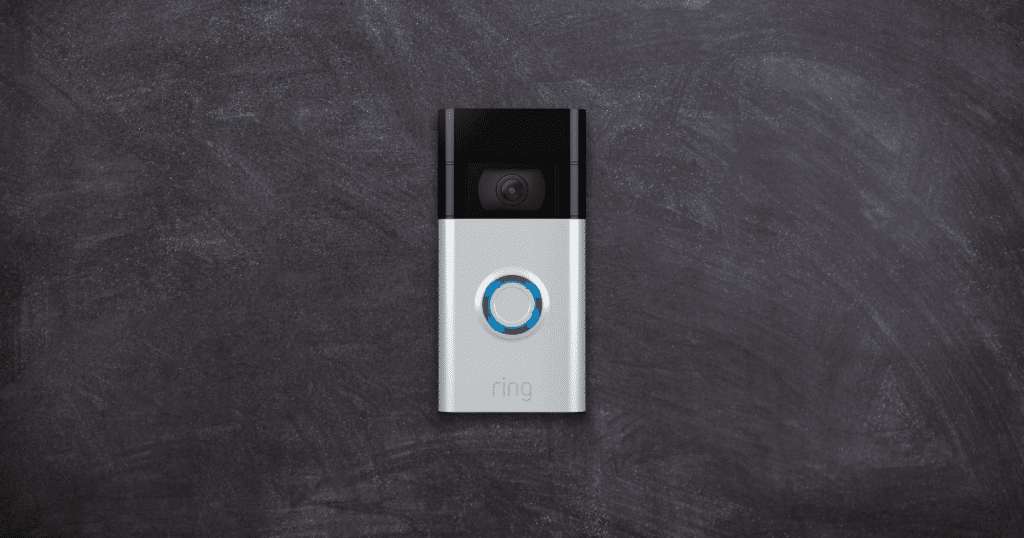
Along with the red light, there are several different colored lights that a Ring Doorbell displays. These colors signify different settings, which help the owner to know what technical issues occur in their device.
Flashing White Light
Do you see a flashing white light on your Ring Doorbell? This flashing light means your device does not have a stable internet connection. This white light can happen if there is a network outage or if you change the WiFi login credentials.
Flashing White Light on the Left of the Circle
If you notice a white light flashing next to the Ring circle, this could indicate a problem with the device setup. This flashing white light happens from a failed setup by something other than an incorrect password or Ring Network Access Point.
Solid White Light
When your Ring Doorbell has a solid white light, your device is in Idle Mode. This mode occurs in wired video doorbells and happens without a setup process. You can fix this solid white light by performing a reset.
Solid Blue Light
While the Ring displays a solid blue light, the device’s speaker is enabled, and you can listen to what’s happening around your property. Once the blue light goes away, the speaker will disable itself and stop recording sound.
Flashing Four Blue Lights
While it may seem like a problem occurred, these flashing lights only happen when there is a successful device setup. After seeing these four lights, your Ring Doorbell will work properly, and you can access all the features.
Frequently Asked Questions
If your Ring camera has a solid red light, the likely cause is a low battery level that needs charging. After charging or replacing the batteries, the red light will go away. Additionally, if there are three small red lights, this is infrared lighting and isn’t a device problem. The three lights help to improve the night vision of the system.
When a Ring Doorbell is set up correctly, the final color will be a solid blue around the circle on the device. If you notice other colors on your Ring Doorbell, this is a sign of issues with the system. The colors help diagnose the technical problem and provide the proper fix to restore functionality.
The lights on a Ring Doorbell have different meanings based on the color. If you notice a solid blue light, your device works properly and doesn’t need any fix. However, if you notice a red or white light, there is something wrong with your Ring Doorbell. After identifying the color, you can make the necessary fix to the device.
Conclusion
If you are ever curious about a red light on a Ring device, this article provides the necessary answers. A low battery level usually causes the red light, and three small red lights are for infrared lighting.
Has your Ring Doorbell displayed a red light? Let us know if this article solved your problem in the comments!