
Are you curious about Ring camera bandwidth usage? The newest Ring camera security systems include several technologies, such as motion detection, alarms, lights, real-time video surveillance, and more.
However, you may be curious about the bandwidth usage of these Ring camera systems. If you have many other systems hooked up to your Wi-Fi network, knowing the bandwidth usage will help you determine if performance will dip.
As home security experts, we have tested and documented the bandwidth usage of the Ring camera system. Keep reading to learn more about our findings and discover how a Ring camera uses bandwidth.
Understanding Bandwidth

Bandwidth is the maximum amount of data transferred between devices. It can also refer to the maximum amount of data your internet service provider will let you download or upload within a given timeframe.
Fortunately, most internet service providers offer unlimited bandwidth with their high-speed plans. You can download and upload as much data per month through your internet as you want without any limitations.
The standard high-speed internet download speed is roughly 242 Mbps (megabits per second), while the average upload speed is only 30 Mbps. Service plans with higher speeds have additional costs.
Each Ring camera requires a minimum of 1 to 2 Mbps of upload bandwidth to transmit a steady stream of 720p real-time video. This may seem low, but it’s a bare minimum for the camera to record reliably.
On the other hand, if you want to choose 1080p high-definition video streaming, you will need a better connection. For better quality imagery, you need between 2 to 4 Mbps of upload bandwidth per camera.
Some Ring cameras even let you choose 4K resolution quality, requiring 4 to 10 Mbps of upload bandwidth each. If you have a standard internet plan, that would use a lot of your maximum allotted upload bandwidth per second.
How Bandwidth Affects Ring Camera Operations
Ring cameras are compatible with Wi-Fi or Ethernet connections, although Wi-Fi is often used for convenience. The only upside is that the bandwidth speed would be much stronger and less interrupted.
Wi-Fi bandwidth is notorious for experiencing lag interruptions due to all the different wireless internet activities occurring simultaneously. These activities crowd the Wi-Fi connection paths between various devices, causing their internet speed to slow down.
Suppose you use a Ring indoor camera, an outdoor floodlight camera, and a doorbell camera to secure your home. Here is a breakdown of the minimum and maximum bandwidth needed, depending on the camera models and video resolutions:
- Ring Indoor Camera – Between 1 to 2 Mbps
- Ring Outdoor Floodlight Camera – Between 2 to 3 Mbps
- Ring Doorbell Camera – Between 1 to 2 Mbps for the standard model, 2 to 5 Mbps for the pro model, and 5 to 8 Mbps for the elite model.
A minimum upload speed of 4 to 7 Mbps will be required to keep all three cameras functional simultaneously. That is assuming all the camera video resolution settings are at the lowest resolutions, such as 720p or 480p.
Do you want to set your camera to monitor 24/7? The upload speed of your network must be over 10 Mbps. If it’s less, you will not receive consistent performance and may experience a Ring camera that freezes after a few seconds.
How to Improve Ring Camera Video Performance

Low bandwidth can cause Ring cameras to malfunction or record video inconsistently. If your Ring camera network experiences frequent performance issues, you must find ways to reduce the bandwidth consumption of your internet connection.
Here are some tips to help you get started:
Lower the Video Quality Settings
Video resolution settings greatly influence performance. Changing the video quality to the lowest resolution, such as 480p, would free up more bandwidth to produce a stable video stream.
However, a minimum of 720p is recommended for better video clarity in recordings. A clear picture will increase the likelihood of identifying the faces of trespassers on your property.
Turn Off Unnecessary Computers and Devices
Does your home have computers, smartphones, tablets, and Internet-of-Things (IoTs) devices connected to your internet? If so, all these devices consume bandwidth for your internet, impacting the performance quality of your Ring camera.
Try turning off all the computers and devices that don’t require a stable internet connection. Only turn on those devices when you want to use them actively. Otherwise, keep them off to free up more bandwidth for your Ring cameras.
Upgrade Your Internet Speed
Contact your internet service provider to see if they have upgrade options for faster download and upload speed. Many providers offer deals for loyal customers and will work with you to find a suitable option.
If you are willing to pay more for your internet bill, you could upgrade your service plan to increase the bandwidth. This should improve your Ring camera performance immediately after the upgrade is activated.
Activate Motion Detection / No Live Streaming
You can save bandwidth with the motion detection feature on your Ring cameras rather than keep them recording 24/7. Motion detection means that your cameras will only start recording video if they detect motion in front of them.
Without motion, the cameras won’t record any video, nor will they consume as much bandwidth. However, the motion detection system will activate with every passing object in its field of view.
Motion detection is sensitive, so place your cameras in areas without frequent moving objects, such as your driveway. Please don’t keep them pointed at the road, as this regularly sets off the motion detection when unnecessary.
Modify Router Settings / Upgrade Router
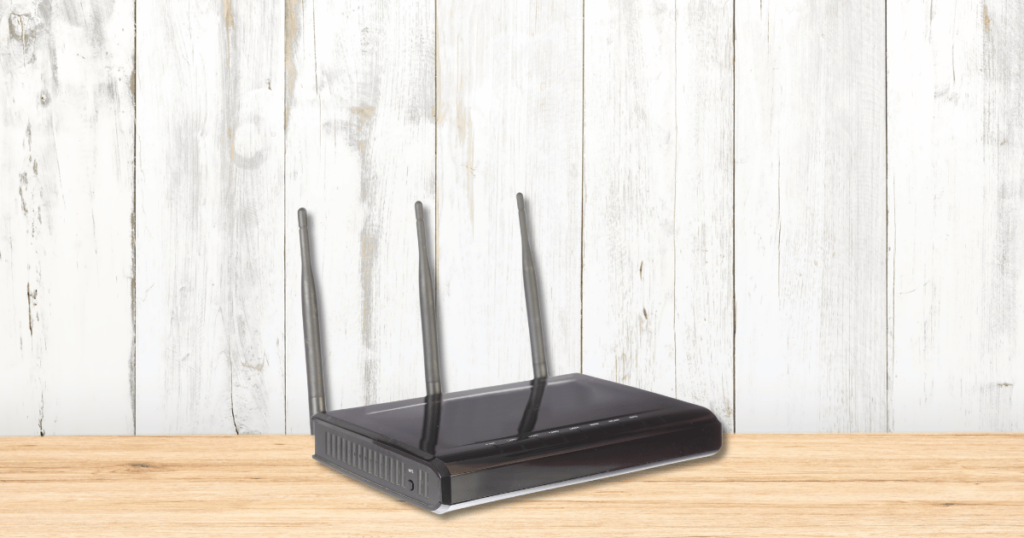
Modify your router speed settings if multiple devices are connected to your Wi-Fi router to prioritize your Ring cameras. That means increasing the bandwidth allocated to your Ring camera devices while reducing the bandwidth allocation for other devices.
Do you have a router that is over 5 years old? Older routers don’t transmit speed as fast as new routers. Even if you have an internet connection with fast upload bandwidth, none of that will matter if the router cannot transmit data that quickly.
Conclusion
Ring cameras and devices are smart technologies that consume substantial bandwidth, especially when connected to the internet 24/7. Fortunately, the tips outlined above can help reduce bandwidth usage and improve the stability of your Ring video recordings.
Find your preferences regarding video resolution, recording frequency, and dependency on on other devices. With the proper setting modifications, you can lower your bandwidth consumption and improve your Ring camera network performance.
I have a ring camera. I could not understand how my monthly internet usage topped 1.2GB each month given I was never home. Once I started going through everything connected to my router I adjusted my ring camera from recording everything to only recording package delivery. My internet usage went from 50GB a day to 3GB a day. Ring needs to figure out how to repackage recordings because it just lost a customer.